

You are currently on the United States site.
Select a location to view location-specific content and shop online.
Description not needed: The visuals in this video animation only support what is spoken; the visuals do not provide additional information.
-

"The best docking station for PC gamers."
- Windows Central
ULTRA-FAST THUNDERBOLT™ 5
Compatible with Thunderbolt™ 4 and USB 4
Description not needed: The visuals in this video animation only support what is spoken; the visuals do not provide additional information.
11-PORT DOCK WITH M.2 STORAGE SLOT
Maximize Your Setup

-
A.
1 Gb Ethernet (RJ45) Port
B.Thunderbolt™ 5 - Downstream
C.Thunderbolt™ 5 - Upstream -
D.
250 W Power Port
E.Two (2) USB A 3.2 Gen 2 - 10Gb/s
F.One (1) USB C 3.2 Gen 2 - 10Gb/s -
H.
UHS-II SD Card Slot
G.Microphone Headphone Combo Port (Supports 7.1 Surround)
I.Open M.2 Slot (PCIe Gen4x4)

UP TO 8 TB SSD STORAGE EXPANSION

CHOOSE YOUR LOADOUT
SUPPORTS TRIPLE 4K DISPLAYS AT 144 HZ
Greater Monitor Configuration Options

Single Cable Design


140 W POWER DELIVERY WITH ACTIVE COOLING
Stable and Efficient Passthrough Charging

THUNDERBOLT SHARE ENABLED
Centralized Control and File-Sharing Between PCs

POWERED BY RAZER CHROMA™ RGB
Customizable Lighting

We’ve Got You Covered
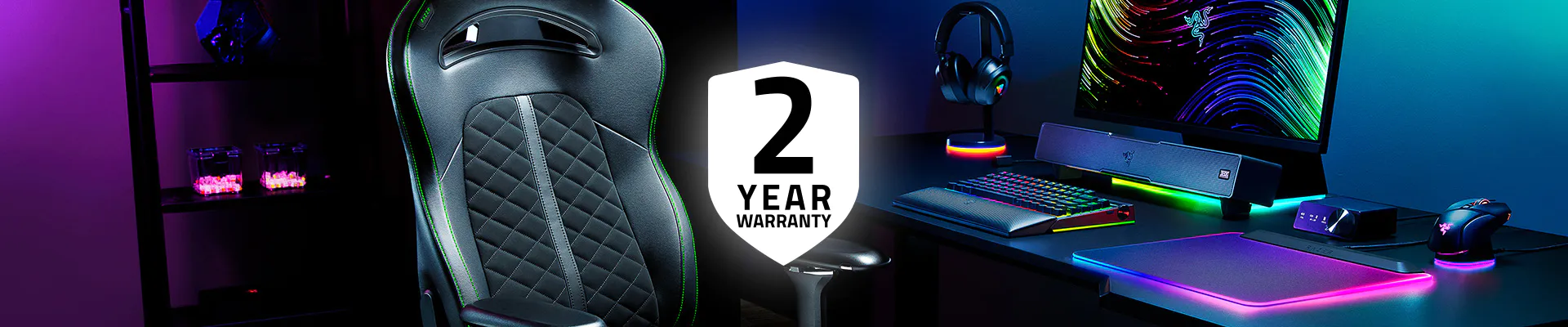
Get up to 2 years of warranty and access reliable tech support. Purchase directly from RazerStore and get 14 days risk‑free returns.
FAQs
-
What is the Razer Thunderbolt™ 5 Dock? It’s a powerful Thunderbolt™ 5 docking station that expands your laptop or desktop connectivity with 11 ports, including an M.2 SSD slot, support for triple 4K displays at 144 Hz, and fast data transfer speeds up to 80 Gb/s bi-directional, with up to 120 Gb/s Bandwidth Boost for display-intensive workloads.
Learn More about Thunderbolt™ 5 for Gaming -
Do I need a Thunderbolt™ 5 laptop to use this dock? No. The dock is backwards compatible with Thunderbolt™ 4, Thunderbolt™ 3, and USB4 hosts — you'll just be capped at the bandwidth and display capabilities of your host. -
How many monitors can I connect to the dock? You can connect up to three 4K monitors running at 144 Hz or an 8K display at 60 Hz for an ultra-high-resolution multi-monitor setup. -
What do I need to connect multiple displays? You'll need cables that support DisplayPort Alt Mode — standard USB-C charging cables don't always carry a video signal and are the most common reason displays don’t output video. For Thunderbolt or USB-C monitors, use a certified Thunderbolt™ cable or a USB-C cable with DP Alt Mode support. -
Does the dock support laptop charging? Yes, it delivers up to 140 W power delivery with active cooling, enabling fast and stable passthrough charging for your laptop without needing a separate AC adapter. -
Which laptops are compatible with the Thunderbolt 5 Dock? The dock works with any laptop or desktop featuring a Thunderbolt™ 4, 5, or USB-C port that supports Thunderbolt protocols. -
Does it work with Mac? Yes, with any Thunderbolt™-equipped Mac. Note that macOS handles external displays differently than Windows, and some Apple Silicon models have built-in limits on the number of external monitors supported. -
What SSDs are supported? The dock comes with an open M.2 2280 SSD slot so you can add your own SSD for up to 8TB of high-speed external storage. -
Where can I find Razer Thunderbolt™ 5 Dock near me? You can buy online at razer.com or locate a store near you.