

You are currently on the Europe-English site.
Select a location to view location-specific content and shop online.
Razer Discord Exclusive: 1,337,000 Silver + hardware bundles + exclusive gear all up for the hunt. Learn more
Description not needed: The visuals in this video animation only support what is spoken; the visuals do not provide additional information.

- Targeting
- Camera Steering
- Dodge
- Zoom In
- Zoom Out
- Zoom Out (Turbo)
- Zoom In (Turbo)
- Special Action
- Autorun
- Change Profile
- Next Enemy
- Closest Enemy
- Hypershift Key
- Weapon Skill 1
- Weapon Skill 2
- Weapon Skill 3
- Weapon Skill 4
- Weapon Skill 5
- Healing Skills
- Utility Skill 1
- Utility Skill 2
- Utility Skill 3
- Elite Skill
- Weapon Swap
- Toggle Snap Ground Targeting

- Targeting
- Camera Steering
- Dodge
- Zoom In
- Zoom Out
- Zoom Out (Turbo)
- Zoom In (Turbo)
- Double Click (Single)
- Double Click (Turbo)
- Change Profile
- Take Personal Target
- Set Personal Target
- Hypershift Key
- Professional Skill 1
- Professional Skill 2
- Professional Skill 3
- Professional Skill 4
- Professional Skill 5
- Activate Mastery
- Skyscale Mount/Dismount
- Warclaw Mount/Dismount
- Skimmer Mount/Dismount
- Hero Panel
- Inventory
- World Map

LOCKABLE RING-FINGER BUTTON
QUICK-ACCESS EDGE BUTTONS
3 SWAPPABLE SIDE PLATES
12-BUTTON SIDE PLATE: BEST FOR MMO

6-BUTTON SIDE PLATE: BEST FOR MOBA & BATTLE ROYALE

2-BUTTON SIDE PLATE: BEST FOR FPS & EVERYDAY

Engineered For Precision
Scroll Smarter. Click Harder. Sense Sharper.

RAZER™ OPTICAL MOUSE SWITCHES GEN-4
Top-Tier Durability, Tactility, and Speed.

RAZER™ FOCUS PRO 50K OPTICAL SENSOR GEN-3
Next-level Precision.

Advanced Software Customisation
-
/MC0041-PTFE-Mouse-Feet.svg)
ROTATION TOOL Adjust mouse orientation to match your preferred grip style and swipe angle. -
/MC0032-underside-DPI-button.svg)
1-DPI STEP ADJUSTMENTS Achieve pixel-perfect sensitivity with single DPI step increments. -
/SW0026-hardware-configurator.svg)
SENSITIVITY MATCHER Precisely port over the DPI settings of your current mouse to the Naga V3 Pro. -

ASYMMETRIC CUT-OFF Individually set a lift-off and landing distance from up to 26 levels. -

SMART TRACKING Auto-calibrate to maintain a consistent lift-off distance on all surfaces.
More Features, Built To Adapt

-
/KB0020-macro-setting.svg)
MACROS Upload and download game-specific macros via Razer Workshop to gain the real unfair advantage for MMO grinders. -
/SW0078-AI-prompt-master.svg)
AI PROMPT MASTER Instantly access ChatGPT with a single click to brainstorm ideas, summarise content and streamline everyday workflows. -
/KB0062-quick-onboard-adjustments.svg)
5 ONBOARD PROFILES Save up to 5 profiles via Razer Synapse, and easily swap across your pre-set game profiles by pressing the button at the base of the mouse.
TRI-MODE CONNECTIVITY
Super Versatile. Long-Lasting.
/TN0005-razer-hyperspeed-wireless.svg)
/MC0008-bluetooth-mouse.svg)
Continuous Wireless Charging Options
Uninterrupted. Unlimited. Unstoppable.


We’ve Got You Covered
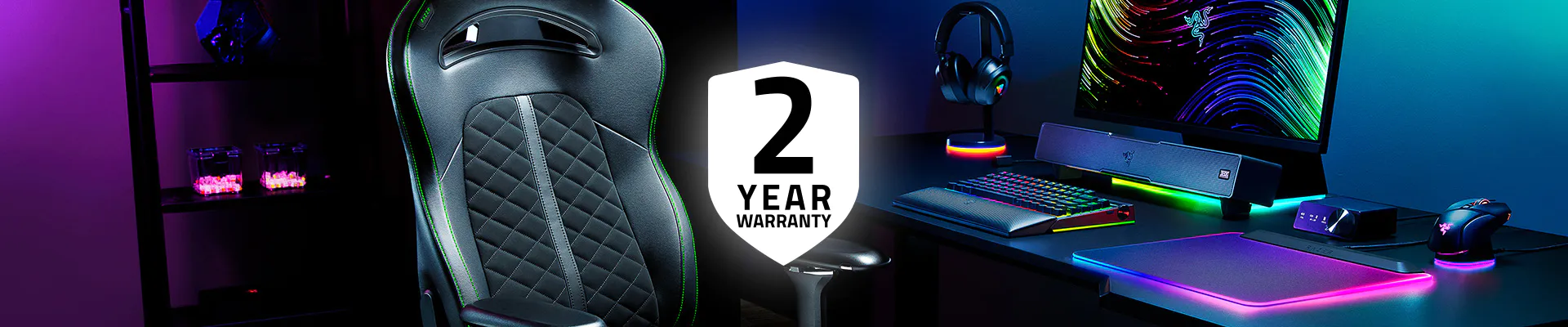
Get up to 2 years of warranty and access reliable tech support. Purchase directly from RazerStore and get 14 days risk‑free returns.
Razer Naga V3 Pro - Frequently Asked Questions
-
What is the form factor of the Razer Naga V3 Pro? The Razer Naga V3 Pro has a right-handed ergonomic shape, the iconic Naga profile built for comfort through long, marathon sessions. With 3 swappable side plates, it adapts from MMO to MOBA, Battle Royale, FPS, and everyday play. -
Who is the Razer Naga V3 Pro ideal for? The Naga V3 Pro is built for multi-genre gamers who want one mouse that adapts across MMO, MOBA, Battle Royale, and FPS. It’s ideal for players who need quick access to many controls, deep customisation, and competition-grade performance. -
What does the button at the bottom of the Razer Naga V3 Pro do? By default, this button allows you to toggle across different onboard profiles saved onto your mouse. With Razer Synapse, you can reconfigure this like any other button on the mouse. -
How do I swap the side plates on the Razer Naga V3 Pro? The side plates are magnetic. Gently pull off the current plate and snap on the 12-, 6-, or 2-button plate for your game. With Smart Profiles, Synapse can auto-switch to a matching profile the moment you launch. -
How does the Razer Naga V3 Pro work with wireless charging? With the additional purchase of the Razer Mouse Dock Pro or the Razer HyperFlux V2, you can replace the mouse’s cover puck to enable wireless charging. Once the wireless puck has been installed, simply place it on the wireless charging device. Learn more about the Razer Mouse Dock Pro and Razer HyperFlux V2 Wireless Charging System. -
How do I optimize my mouse for the best accuracy in gaming? To improve accuracy, consider disabling the "Enhance pointer precision" option in your Windows mouse settings, as this feature can affect mouse sensitivity. Additionally, you can further optimize performance using the Razer Synapse app. Learn more about our enhanced DPI features. -
Where can I find Razer Naga V3 Pro near me? You can buy online at razer.com or locate a store near you.
Actual product may differ from pictures.
©2026 ArenaNet, LLC. All rights reserved. All trademarks are the property of their respective owners.
/SM0001-facebook.svg)
/SM0017-X.svg)
/SM0003-instagram.svg)
/SM0018-Threads.svg)
/SM0014-tiktok.svg)
/SM0008-youtube.svg)
/SM0009-twitch.svg)
/SM0015-discord.svg)