

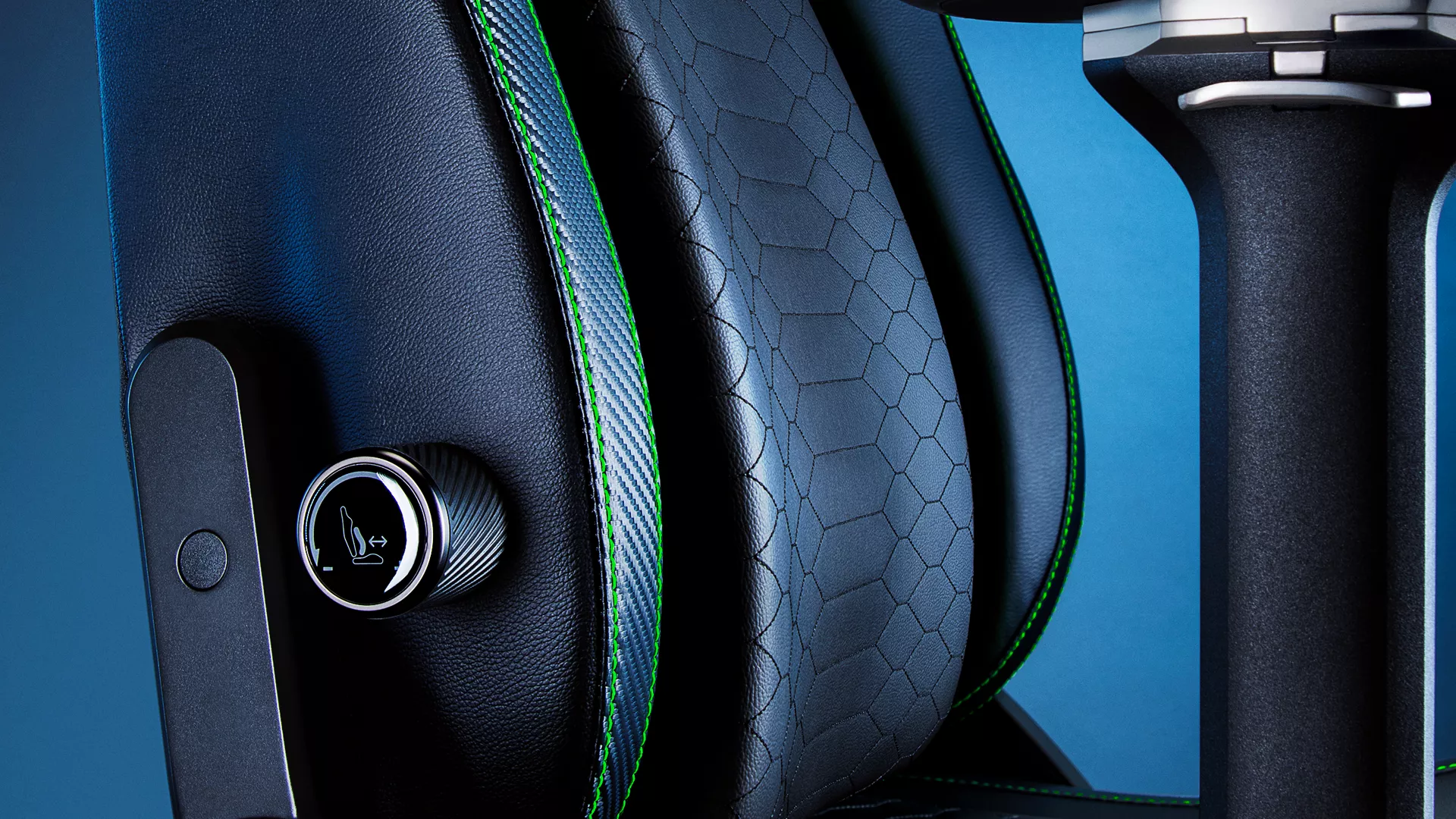
If you’ve ever tried grinding through long sessions with back pain, you’ll know that no amount of in-game performance makes up for poor posture. A bad chair doesn’t just affect comfort, it affects focus, endurance, and even reaction time. That’s why we put a lot of thought into the lumbar support system on the Razer Iskur V2.
This chair was built for gamers who need both comfort and adaptability. Whether you’re playing for a few hours or a full day, the adjustable lumbar support is one of the biggest reasons it stands out… especially if you’re serious about maintaining a healthy posture over time.
What Makes the Lumbar Support Different
Unlike typical gaming chairs that rely on a fixed cushion or a basic sliding pad, the Iskur V2 features a 6D lumbar system that adapts to how you move. It’s designed to maintain consistent lower back contact even when you shift positions, lean forward during intense moments, or angle sideways across multiple screens.
What makes this useful is that you don’t have to sit perfectly still to get support. The chair subtly adjusts to your posture in real time, so your spine stays aligned without you needing to constantly reposition yourself.
How to Adjust the Lumbar Settings
There are two dials on either side of the seat that make it easy to fine-tune your setup; no need to get up or pause the game.
- Right-side dial: This controls the depth of the lumbar pad. Turn it to move the support closer or further from your lower back, depending on what feels most natural.
- Left-side dial: This adjusts the height of the lumbar support. Set it to match the curve of your spine, wind it lower for sacral support, and higher if you want to target the lumbar region directly.
Once you dial it in, the support feels more intuitive and stays responsive to movement. It’s subtle, but it makes a real difference over the course of a long gaming session.
Why It Matters for Long Sessions
Back strain doesn’t happen all at once; it builds slowly, especially if you’re stuck in the same posture for hours without proper support. The Razer Iskur V2’s ergonomic design helps prevent that by promoting natural spinal alignment. It’s one of the reasons our community considers it to be among the best gaming chairs for back pain and posture correction.
With proper lumbar adjustment, you stay more focused, more comfortable, and less likely to cut your session short due to fatigue.
If you want a quick walkthrough on how to adjust everything visually, check out the full video guide here:
