

You are currently on the Canada site.
Select a location to view location-specific content and shop online.
Get CA$48 Razer Store Credit when you order the DeathAdder V4 Pro Carbon Fiber Edition during launch week.
DeathAdder V4 Pro Carbon Fiber Edition Esports Gaming Mouse
Description not needed: The visuals in this video animation only support what is spoken; the visuals do not provide additional information.


LIGHTER MOUSE, FASTER FLICKS
Description not needed: The visuals in this video animation only support what is spoken; the visuals do not provide additional information.
STRONGER SHELL, STEADIER CLICKS
* Based on internal testing.
Description not needed: The visuals in this video animation only support what is spoken; the visuals do not provide additional information.
PREMIUM FINISH, STRIKING WEAVE
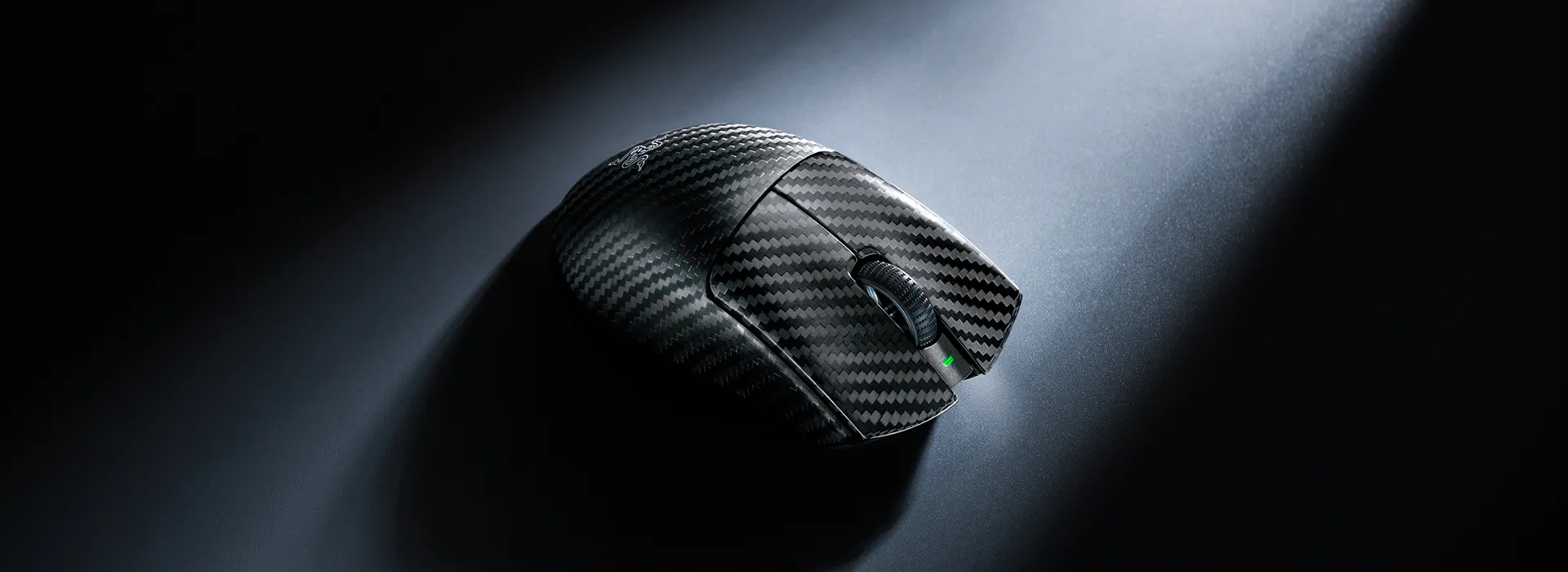
The Iconic Ergonomic Form
The Trusted DeathAdder Shape. Now in Carbon Fiber.

KEY FEATURES
This is a carousel with highlighted items. Use the Previous and Next buttons to browse through 6 slides.


RAZER™ FOCUS PRO 50K OPTICAL SENSOR GEN-3


End of carousel
We’ve Got You Covered
Get up to 2 years of warranty and access reliable tech support. Purchase directly from RazerStore and get 14 days risk‑free returns.
RAZER DEATHADDER V4 PRO CARBON FIBER EDITION – FREQUENTLY ASKED QUESTIONS
-
What's the difference between the Razer DeathAdder V4 Pro and the DeathAdder V4 Pro Carbon Fiber Edition? Unlike the standard version, the Razer DeathAdder V4 Pro Carbon Fiber Edition features a woven carbon fiber shell with an upgraded Razer Focus Pro 50K Optical Sensor Gen-3 sensor and up to 180 hours of battery life. -
What is the shape and form factor of the Razer DeathAdder V4 Pro Carbon Fiber? The Razer DeathAdder V4 Pro Carbon Fiber has a right-handed ergonomic shape, the same iconic shape as the standard DeathAdder V4 Pro. -
Where can I buy the Razer DeathAdder V4 Pro Carbon Fiber Edition? The Razer DeathAdder V4 Pro Carbon Fiber is available exclusively on Razer.com and RazerStore. -
Does the Razer DeathAdder V4 Pro Carbon Fiber have onboard memory? Yes. It features one onboard profile that saves your last-used Synapse settings—DPI stages, button mappings, and performance preferences—so you can compete consistently anywhere. -
What do the 3 LED indicators on my Razer HyperSpeed Wireless Gen-2 dongle show? From left to right, they indicate battery life, connection status and polling rate by default. However, you can configure each LED via Synapse to indicate battery level, connection status, polling rate, or DPI stages in any order you prefer, or switch it off. -
How can I test the Razer DeathAdder V4 Pro Carbon Fiber Edition's polling rate? You can download this software to test the polling rate of the mouse. For optimal performance, please plug the HyperSpeed Wireless Gen-2 dongle directly to an available USB port on your PC, close background programs and move your mouse in a circular motion when starting to test it within the application. -
How can I improve gaming accuracy with the Razer DeathAdder V4 Pro Carbon Fiber Edition? To improve accuracy, consider disabling the "Enhance pointer precision" option in your Windows mouse settings, as this feature can affect mouse sensitivity. Additionally, you can further optimize performance using the Razer Synapse app. Learn more about our enhanced DPI features.