

When Razer Synapse Web launched with the Razer Viper V4 Pro, the community had one clear ask: bring it to the mice they already use every day.
One of the biggest requests was for the Razer DeathAdder V4 Pro. And now, that support is live.
What Is Razer Synapse Web?
Razer Synapse Web is a browser-based configuration tool that gives you quick access to essential settings on supported Razer devices. It works through supported Chromium-based browsers including Google Chrome, Microsoft Edge, and Opera, and is officially supported on Windows 11 and macOS 26. No browser extension or additional driver installation is required when your device firmware is up to date.
It gives you another convenient way to configure your gear when you want access to the settings you use most, whether you are making a quick adjustment before a game or setting up on another system.
Razer Synapse Web works alongside Razer Synapse 4, giving you more flexibility in how you configure supported devices. Razer Synapse Web focuses on essential browser-based controls, while Razer Synapse 4 provides the complete configuration experience and advanced functionality available for your device.
What Can You Customize on the Razer DeathAdder V4 Pro on Razer Synapse Web?
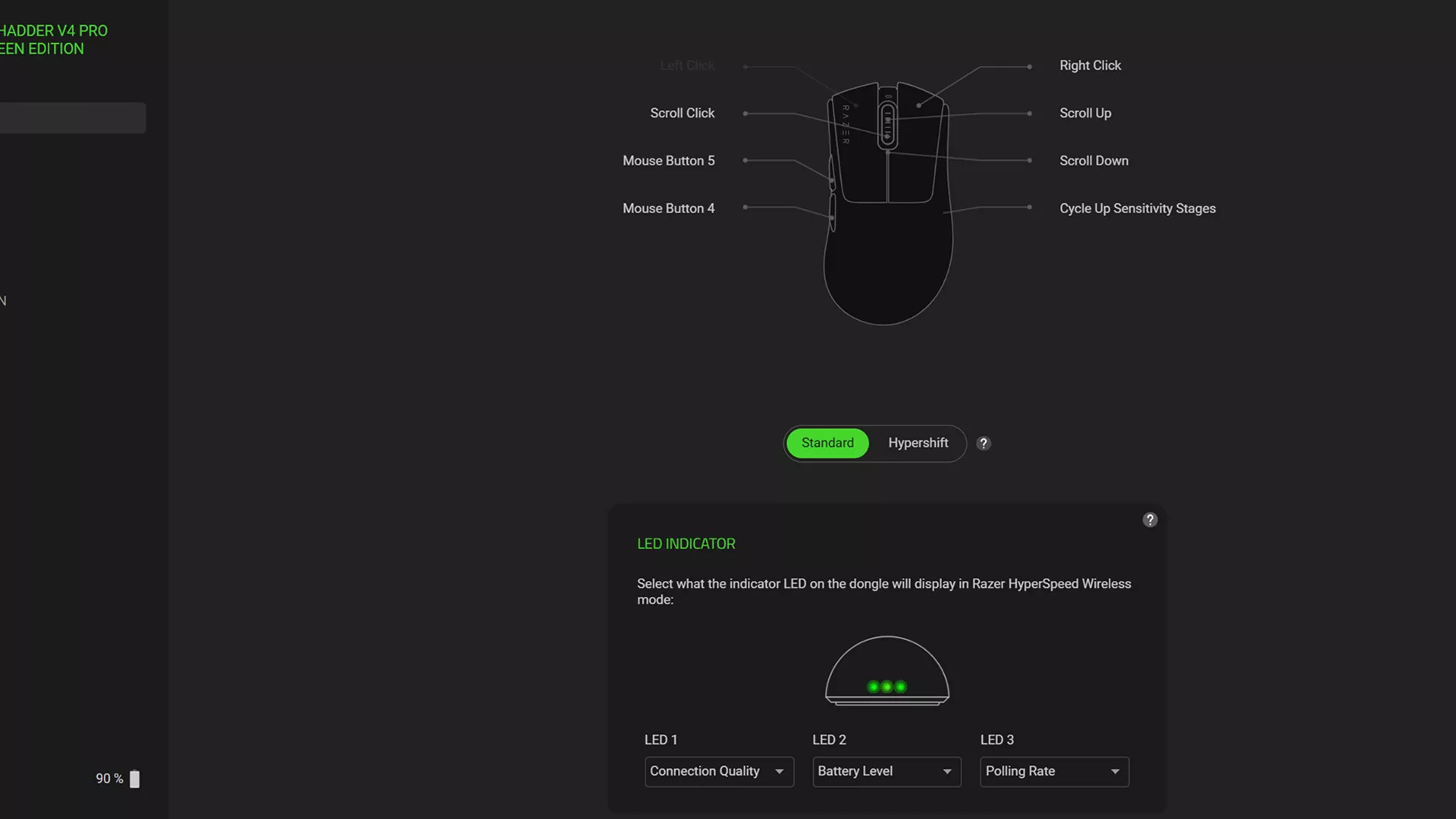
Razer Synapse Web gives you browser-based access to the essential Razer DeathAdder V4 Pro settings you are most likely to adjust between sessions.
With Razer Synapse Web, you can:
- Edit your onboard profile: View, edit, and save supported settings directly to your mouse’s onboard memory.
- Adjust DPI stages: Fine-tune sensitivity to match how you play.
- Configure button assignments: Customize supported mouse buttons without opening the full software suite.
- Set up on Mac: Access essential onboard profile and DPI controls through a supported browser.
- Fine-tune additional controls: Adjust mouse rotation, power saving, mouse mat calibration, and dynamic sensitivity settings.
Once saved to onboard memory, your supported settings stay with your Razer DeathAdder V4 Pro when you move between compatible systems.
How to Get Started
To get started, make sure your Razer DeathAdder V4 Pro firmware is up to date.
- An internet connection is required to load Razer Synapse Web. Once it is loaded, you can continue using the tool offline until the browser session is closed.
- Then, open Razer Synapse Web in a supported browser, connect your mouse, select Add Device, and start tuning your setup. No software download, browser extension, or additional driver installation is required.
For the latest compatibility information, you can also check the Razer Synapse Web supported devices list.
What are the differences between Razer Synapse Web and Razer Synapse 4?
Both give you ways to personalize your Razer gear. The difference is how much control you need in the moment.
Use Razer Synapse Web when you want quick, browser-based access to essential settings with no software download or driver install required. It is ideal for a fast adjustment or for setting up on another PC.
Use Razer Synapse 4 when you want the complete configuration experience, with deeper customization and advanced functionality for supported Razer devices. It is ideal when you need full control over your setup.
With the Razer DeathAdder V4 Pro supported across both experiences, you can choose the option that best fits what you need at that moment.
What’s Next
Razer Synapse Web focuses on the settings you are most likely to adjust between gaming sessions, delivering fast browser-based access without requiring a software installation.
As Razer Synapse Web evolves, supported devices and available functionality may vary. Check back periodically for the latest updates and compatibility information.
