

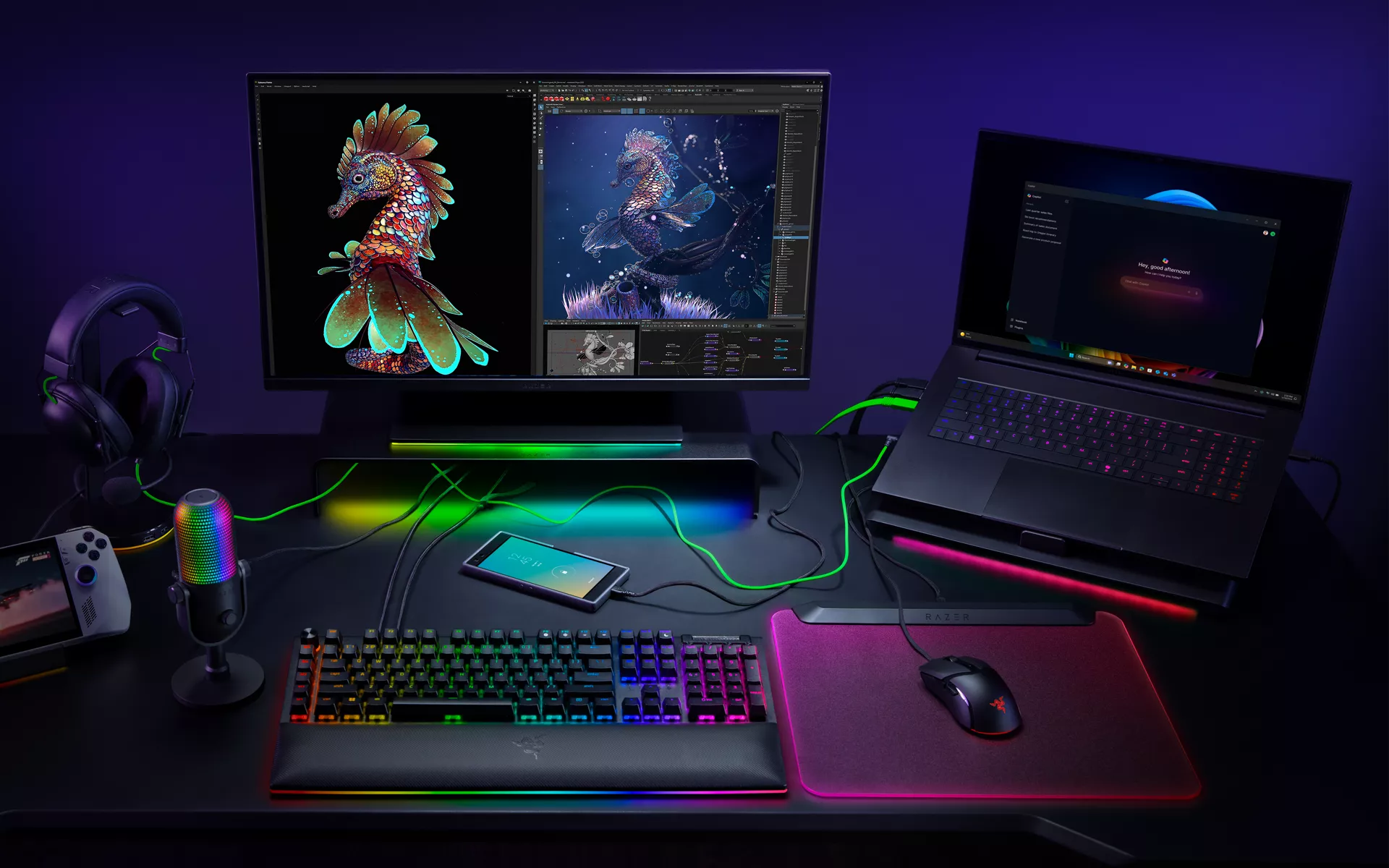
Work and play need not be confined to a desk, and you do not need a complicated multi‑system setup to power through your day. A single Razer Blade can anchor a clean desktop, drive creator‑class workloads, and still be your LAN or travel machine at night. Below is a product‑by‑product walkthrough to turn your Blade into a full desktop setup that scales with your needs.
Why the Razer Blade works as the heart of your PC setup
Our laptops are built for performance and polish, precision‑milled from a single block of aluminum, cooled by advanced vapor chambers, and tuned for the most demanding tasks. They run the latest CPUs and NVIDIA GeForce RTX GPUs for high‑FPS gaming and accelerated creative apps. Learn more about our current line-up or Razer Blade laptops here, and start by deciding which Razer Blade will fit your workflow.
When you are at the desk, you have a wide range of options to extend your Razer Blade setup with a few key pieces. Pick the path that matches your priority, more graphical horsepower, more I/O, better ergonomics, or extra thermal headroom for marathon sessions.

More GPU power on demand, Razer Core X V2
If you want desktop‑class graphics from a discreet card, connect your Blade to the Razer Core X V2. Our external GPU enclosure lets you slot in a compatible desktop GPU (PCIe, up to 4-slots wide), so you can accelerate ray tracing and creator workflows at home, then undock for a clean laptop‑only footprint when you travel.
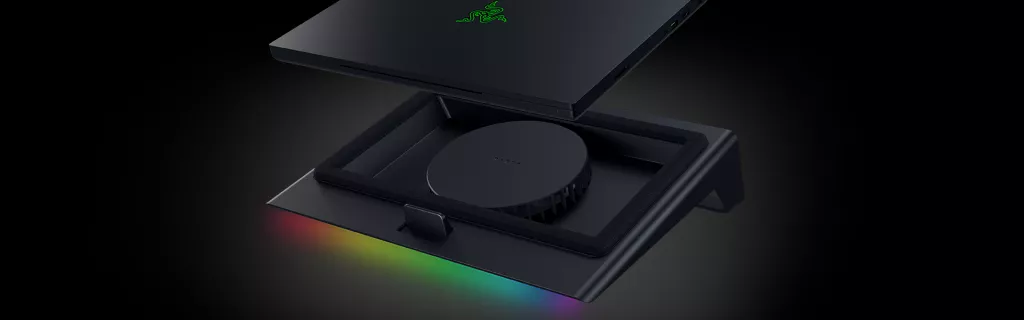
Extra thermal headroom, Razer Laptop Cooling Pad
For extreme gaming conditions or hot rooms, add the Razer Laptop Cooling Pad. Its smart cooling design coupled with our own unique Hyperboost technology that automatically manages your Razer Blade’s fan speeds will allow you to keep your systems cooled through the most intense gaming sessions.
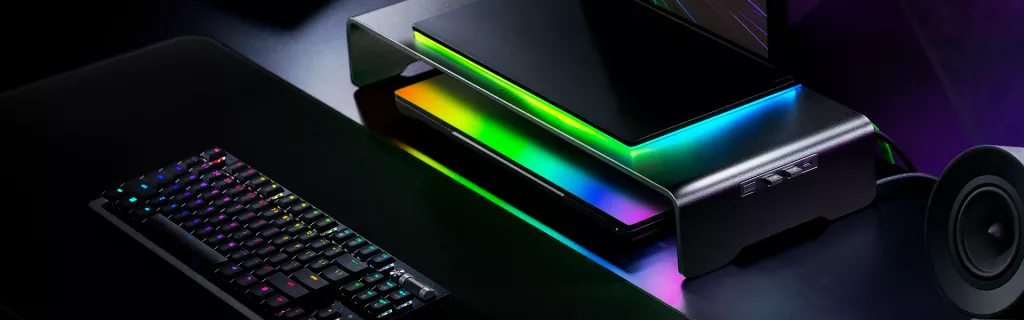
Ergonomics and ports, Monitor Stand Chroma
Raise your external display to an ergonomic height and add downstream connectivity with the Razer Monitor Stand Chroma. You get clean cable routing, extra USB ports for accessories, and reactive lighting that syncs with the rest of your Razer Chroma setup as you tuck your Razer Blade neatly below its ergonomic aluminum frame.
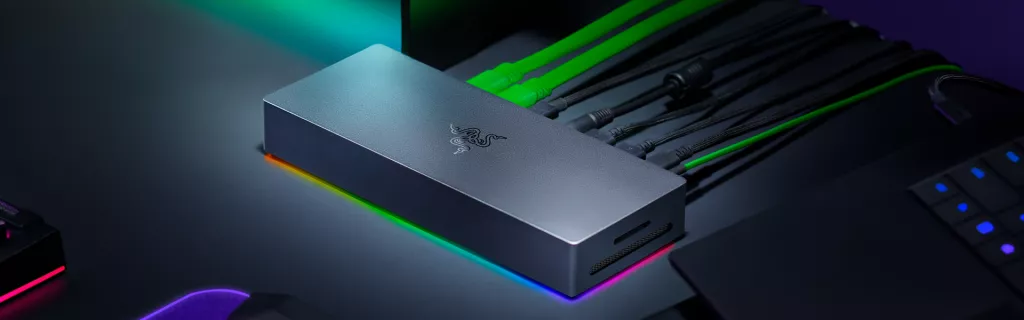
One cable simplicity, Razer Thunderbolt 5 Dock
If you just want ports at blazing speeds, plug into the Razer Thunderbolt 5 Dock that supports data transfer speeds of up to 120 GB per second for gaming. Connect multiple displays, high speed Ethernet, and bring in your PC peripherals through a single cable, then leave your power brick and accessories wired on the desk for instant plug‑and‑play every time you sit down. That’s how you maximize your Razer Blade desktop setup.

Travel mode, a compact typing and control kit
If you are predominantly on the go, and still want comfort and precision, we have you covered as well. Pair your Blade with the highly rated Razer Joro mobile keyboard and the compact Basilisk Mobile mouse for a familiar desktop feel anywhere, from client meetings to hotel rooms to campus study halls, all without lugging along a hefty hardware bundle.
One Blade, many setups
A desktop that adapts to your day starts with a Razer Blade. Dock for more ports, power, and comfort, undock to go to class, travel, or to your next BYO event. Work and play flow better when everything speaks the same ecosystem, and that is the advantage of building around our award-winning Razer Blade laptops.
