

At work, performance isn’t measured in moments. It’s built over hours of focus – writing, coding, designing, and problem-solving without interruption.
As more professionals look for ways to stay comfortable at the desk, the conversation around ergonomic keyboards has shifted. It’s no longer about a niche upgrade but a practical necessity. The keyboard you choose shapes how your hands move, how your wrists rest, and how strain builds throughout the day.
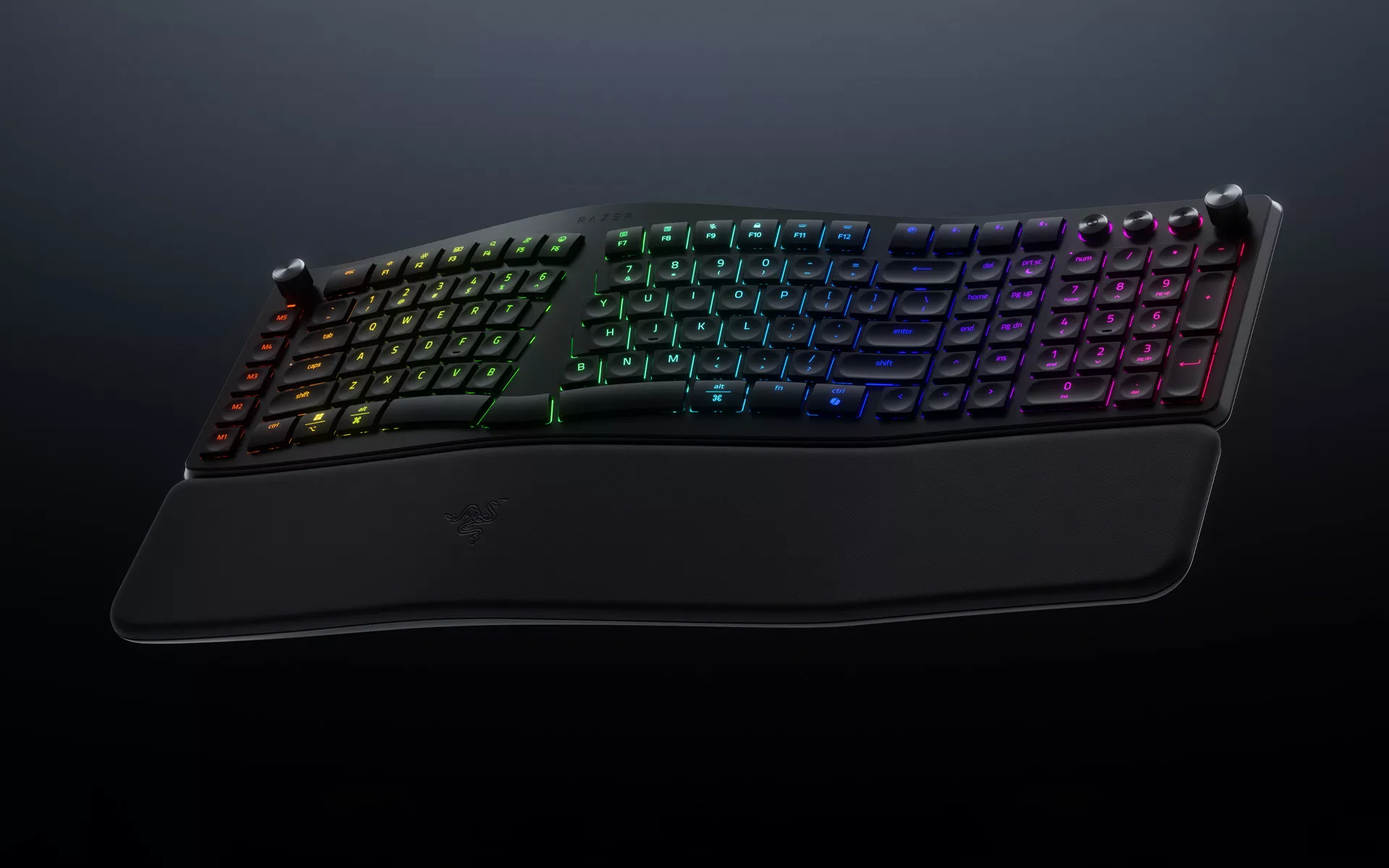
Designed as a wireless ergonomic keyboard for work, the Razer Pro Type Ergo brings Razer’s long session performance philosophy into modern workspaces, where comfort and consistency matter just as much as speed.
Behind the Design: Supporting Natural Movement
For anyone considering an ergonomic keyboard for work, the difference often becomes clear after a full day at the desk.
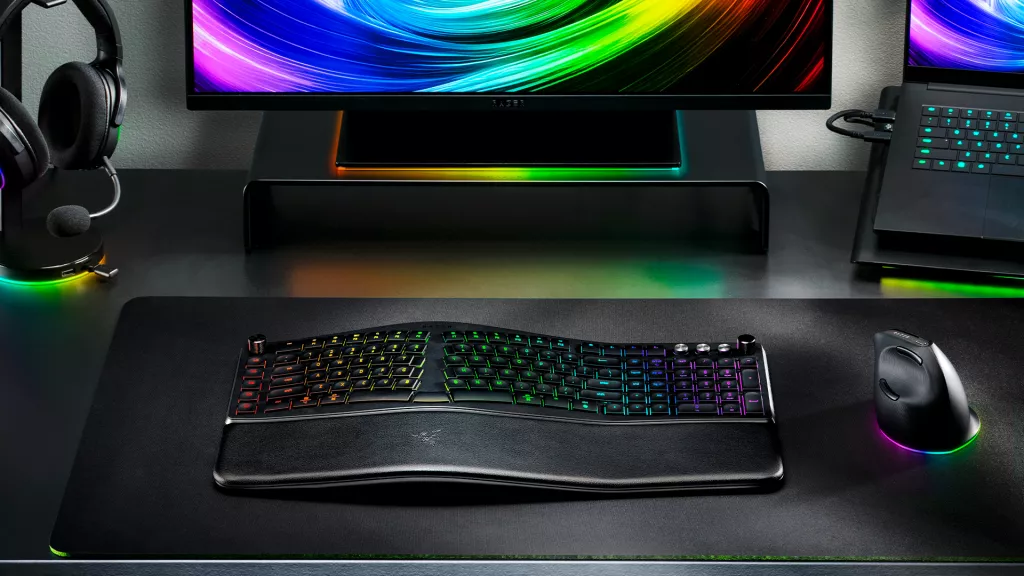
The Razer Pro Type Ergo is a split ergonomic keyboard with a gently curved keyboard design that encourages a more natural hand position. Instead of pulling your wrists inward, it allows your hands to rest in a more relaxed posture, reducing the need to stretch across the keyboard.
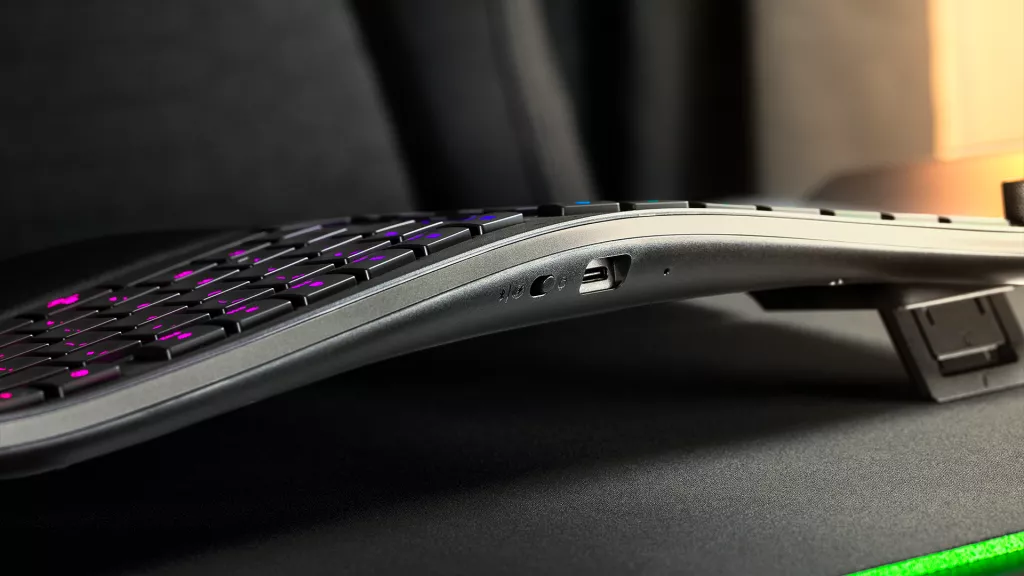
A 10° fixed slope, combined with adjustable forward or backward tilt options at 4° or 7°, gives you the flexibility to fine-tune your setup across different desk heights and work styles. Whether you are seated, standing, or moving between workspaces, the keyboard adapts to your environment.
Paired with a built-in plush wrist rest, it provides consistent forearm support that helps to reduce pressure points that can build up over extended use. For professionals spending long hours at their desks, these small adjustments can make a noticeable difference over time.
Designed for Comfortable Typing All Day
Typing comfort isn’t just about speed, it’s about how much effort each keystroke takes.
The Razer Pro Type Ergo features ultra low-profile keys with shorter travel distance, which helps reduce finger movement over time. The result is a lighter, more effortless typing experience that feels consistent even after hours of use.
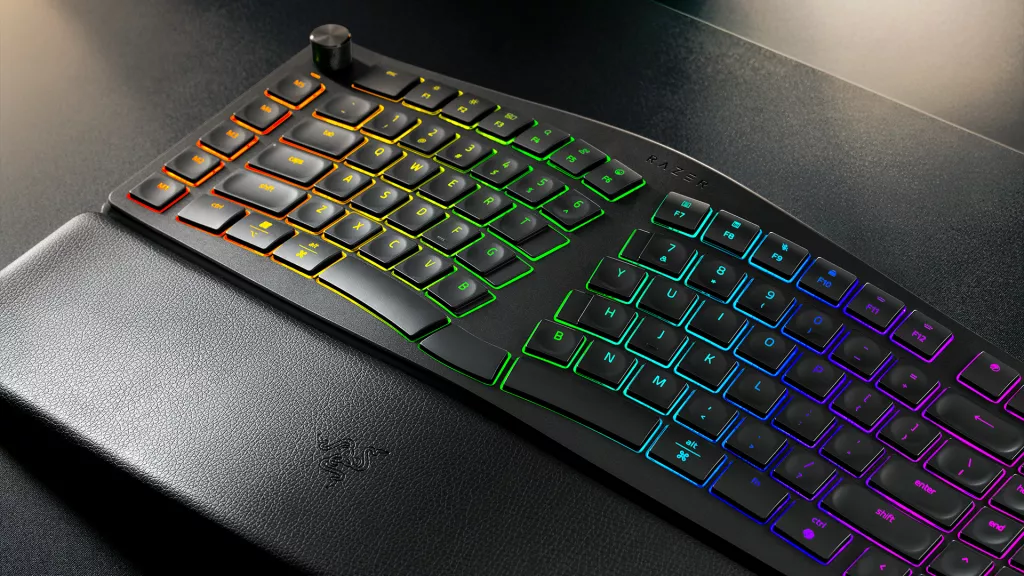
Each keycap is sculpted with subtle spherical indents that guide your fingertips naturally into place, improving accuracy without requiring conscious adjustment. Inside, built-in sound dampening layers and tuned stabilizers keep keystrokes quiet and controlled, ideal for home offices, shared workspaces, and video calls.
The overall typing experience stays controlled and distraction free, making it easier to stay in rhythm during long stretches of work.
A Layout Built Around How You Work
Once typing feels comfortable, the next factor is how easily you can reach the keys you use most. The Razer Pro Type Ergo introduces intentionally designed changes such as the dual “B” keys, dual space keys, and a centrally positioned backspace. These adjustments make it easier for both hands to access commonly used inputs without awkward reach or finger crossover. While subtle at first, these changes help maintain a steady typing rhythm over time—especially during long writing sessions, coding workflows, or detailed editing tasks.
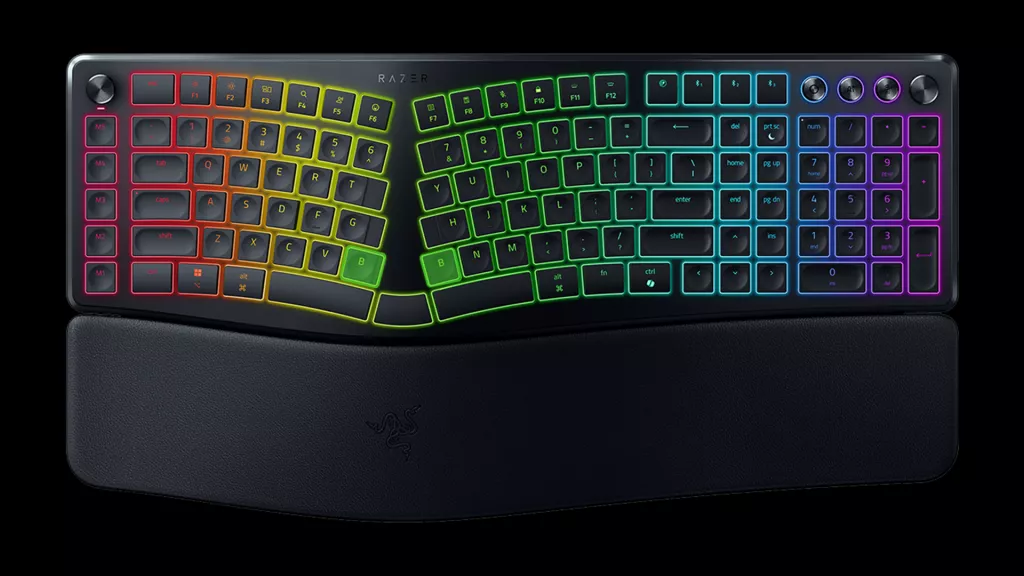
By keeping essential keys within easy reach, the layout supports a much natural flow from one task to the next.
Smarter Controls for a Faster Workflow
When you’re in the middle of a task, small interruptions can break momentum. The Razer Pro Type Ergo includes five dedicated macro keys, a dedicated mic mute button, and the Razer™ Command Dial—putting frequently used controls within easy reach. Out of the box, these inputs are pre-configured for navigation, media control, and key shortcuts across popular productivity and creative applications. For more advanced setups, you can customize them to match your workflow, whether that’s switching between apps, scrubbing through timelines, adjusting volume, or triggering multi-step actions.
For deeper customization, the macro keys and dial can be remapped to automate repetitive actions. The Command Dial supports up to eight functions, expandable into up to 100 custom actions, giving users a flexible way to streamline repetitive tasks and stay focused on what matters.
A Wireless Ergonomic Keyboard for Modern Work Setups
The way we work is more flexible than ever. Setups move between home and office. Workflows shift between meetings, deep focus, and creative output.
The Razer Pro Type Ergo is built for that reality. It combines ergonomic support, quiet typing, and customizable controls into a wireless ergonomic keyboard that keeps up with you throughout the day. Instead of adjusting your posture to fit your setup, it’s designed to support how you naturally work—helping you stay comfortable, focused, and consistent from your first task to your last. Upgrade your workspace with the Razer Pro Type Ergo and experience a keyboard productivity without compromise.
