Razer HyperPolling Wireless Gaming Technology

Razer Hyperpolling Technology

RAZER™ HYPERPOLLING

Polling rate is the frequency at which data is communicated from your device to your PC. The higher it is, the more frequently data is sent per second, allowing for lower latency and smoother visuals when combined with a high refresh-rate monitor. Razer™ HyperPolling technology allows your gaming peripheral to extend beyond 1000 Hz polling rate.

WHY DOES HYPERPOLLING MATTER?

Latency is an issue that affects all gamers, and this innovation allows our mice and keyboards to achieve ultra-low latency connections. As validated through blind tests, many pro players have noticed a significantly smoother and more responsive gaming experience with Razer HyperPolling.
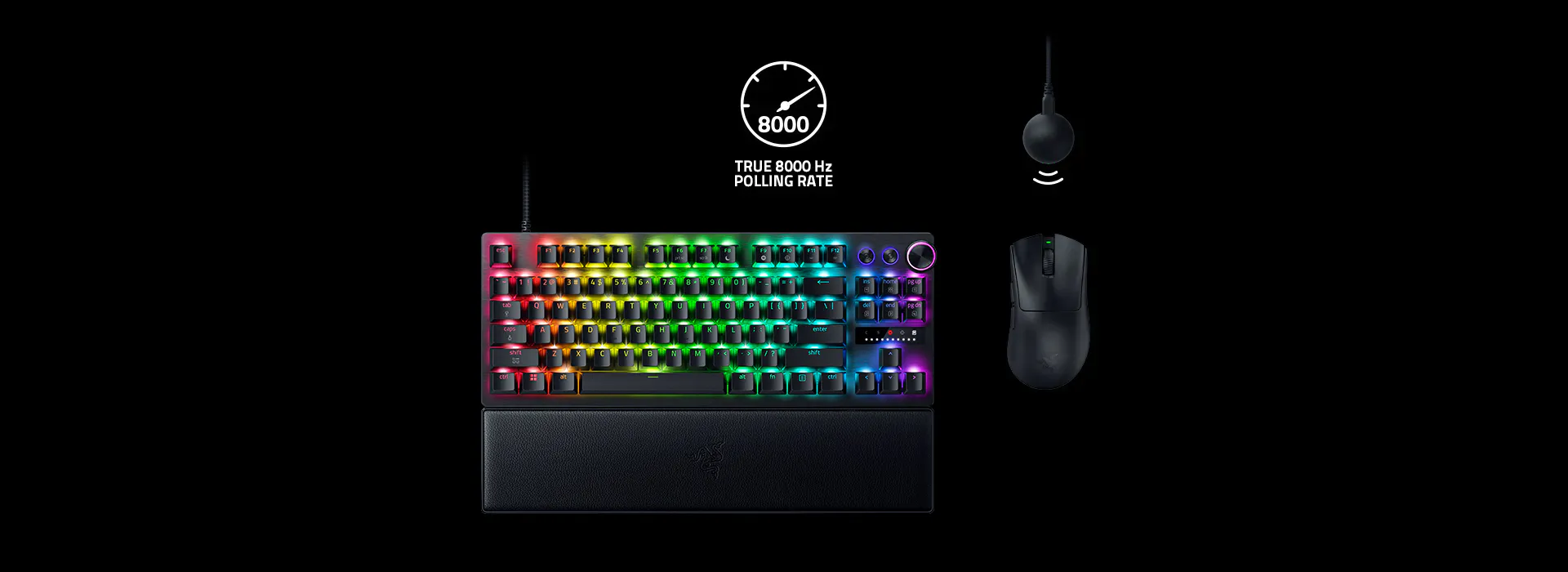
True 8000 Hz Polling Rate

A FRAME-BY-FRAME BREAKDOWN

Compared to other peripherals that have an average polling rate of 1000 Hz, Razer HyperPolling gear with an 8000 Hz polling rate can report up to 8 times more data per second from device to PC, achieving a huge input delay reduction from 1 to 0.125 ms.


Mice
Keyboards

What does it mean

  • Better Mouse Aim

    Smoother, more up-to-date cursor positions with no annoying micro‑stutters

  • Faster Keyboard Inputs

    Greater response for sharper in-game movement and execution

WIRELESS

Triggering the select menu below will update the content of this page.

Combined with the ultra-low latency connection of Razer HyperSpeed, we’re able to provide you with a true 8000 Hz wireless polling rate—our fastest, most reliable low latency wireless gaming technology to date.

See how Razer HyperPolling Technology
compares against other products side‑by‑side

Razer HyperSpeed Wireless Gen-28000 Hz
0.291 msAverage Latency
Razer HyperSpeed Wireless Gen-18000 Hz
0.461 msAverage Latency
Non-Razer Wireless8000 Hz
0.807 msAverage Latency

Closer Distribution = Consistent Click ResponseLower Value = Faster Click Response


*Measurements show time delta between the electrical actuation of the mouse click to when the frame is received/reflected at the host computer (accurate up to 1μs) tested in a controlled environment.

Powered by Razer HyperSpeed’s ultra-responsive wireless connection, our compatible wireless keyboards now deliver a blistering 4000 Hz polling rate—allowing you to unlock faster inputs and peak precision for every keystroke.

Razer HyperSpeed Wireless Keyboards4000 Hz
1.30 msAverage Latency
Razer HyperSpeed Wireless Keyboards1000 Hz
2.43 msAverage Latency
Non-Razer Wireless Keyboards1000 Hz
2.97 msAverage Latency

WIRED

Triggering the select menu below will update the content of this page.

Utilizing a high-speed USB microcontroller, experience an immediate difference in your gaming with a wired polling rate that’s 8 times more responsive than the industry standard.

See how Razer HyperPolling Technology
compares against other products side‑by‑side

Razer Hyperpolling
Wired
8000 Hz
0.090 msAverage Latency
Best Non-Razer
Wired
1000 Hz
0.549 msAverage Latency

Closer Distribution = Consistent Click ResponseLower Value = Faster Click Response


*Measurements show time delta between the electrical actuation of the mouse click to when the frame is received/reflected at the host computer (accurate up to 1μs) tested in a controlled environment.

Utilizing a high-speed USB microcontroller, gain the unfair advantage in your gaming with a wired polling rate that’s 8 times more responsive than the industry standard. Paired with an 8K scan rate across all keys, this setup ensures true 8K performance—minimizing input delay and enabling near-instantaneous responsiveness for competitive play.

AVERAGE LATENCY

Lower is Better

Razer Keyboard8000 Hz
0.58
ms**
Competitor Keyboard A8000 Hz
0.65
ms
11%Faster*
Competitor Keyboard B8000 Hz
1.6
ms

*Testing was done across 20 measurements with all keyboards set to 0.1 mm actuation and 8000 Hz polling rate. Percentage is rounded to the nearest whole number.
**Latency is measured from the moment of actuation of the switch to the signal being received at the USB port on the host device. End-to-end latency might defer.

BEST PRACTICES & TIPS

If your Razer HyperPolling mouse or keyboard is experiencing lag, stutter, or disconnection, we recommend taking the following steps to create the optimal conditions.

Software


  1. Ensure that your firmware version is v2.0 and above.
  • Your device's current firmware version and available updates can be viewed on its respective 'Setting' page in Razer Synapse. Download the latest firmware for your device.
  1. Disable software that runs an overlay or injects kernel level drivers.
  • This applies to drivers for installed devices and drivers for 3rd party software running in the background.
  1. Ensure the correct in-game settings are enabled.
  • Some examples are the ‘Raw Input Buffer’ in Valorant and ‘High Precision Mouse Input’ in Overwatch.
  1. Shut down any non-essential applications that are keeping your CPU busy.

  2. Set a lower polling rate for Razer HyperPolling (4000 or 2000 Hz).
  • Some game engines, particularly in older titles, simply cannot handle high polling rate devices well, as they were never designed with such devices in mind.
  1. Disable ‘Enhance Pointer Precision’ in the Windows control panel.
  • This setting may cause the mouse sensitivity to feel much lower than the set value.
  1. Ensure you are using the latest version of Windows 11.
  • The Windows 11 Moment 3 (KB5027303) update introduces optimizations specifically for high report rate devices, which includes all of our HyperPolling-enabled gaming mice.

HARDWARE


HyperPolling Wired

  1. Ensure the peripheral is directly connected to a native USB port on your PC.

HyperPolling Wireless
  1. Ensure the HyperPolling Dongle is in line of sight of your mouse or keyboard and within a 30 cm range.
  • Ideally, it should also be as far as possible from any active USB 3 hubs, which can generate 2.4 GHz signal noise that interferes with wireless performance.
  1. Ensure other wireless devices near the mouse are switched to 5 GHz mode (where applicable) or connected via cable.
  • By freeing up more bandwidth on 2.4 GHz, your mouse will have a cleaner wireless environment that allows it to perform to its fullest potential.
General
  1. In some instances, your PC may not be powerful enough to support Razer HyperPolling.
  • For CPU-bound cases, the computer might lack the resources needed to process 8,000 reports a second.
  1. If you are experiencing any issues, try to unplug/replug your device.

To test your mouse polling rate, download the test software

SUPPORTED PRODUCTS

HYPERPOLLING WIRELESS
Razer Boomslang 20th Anniversary Edition

Commemorative Collector’s Edition Gaming Mouse

Razer DeathAdder V4 Pro

Ultra-lightweight Wireless Ergonomic Esports Mouse

Razer Viper V3 Pro

Ultra-lightweight Wireless Symmetrical Esports Gaming Mouse

Razer Viper V3 Pro Faker Edition

Ultra-lightweight Wireless Symmetrical Esports Gaming Mouse

RAZER VIPER V3 PRO SENTINELS EDITION

Ultra-lightweight Wireless Symmetrical Esports Gaming Mouse

Razer Viper Mini Signature Edition

The Best Lightweight Performance Gaming Mouse

Razer DeathAdder V3 Pro

Ultra-lightweight, Ultra-fast Wireless Esports Mouse

Razer DeathAdder V3 HyperSpeed

Ultra-lightweight Wireless Ergonomic Esports Mouse

Razer Viper V3 HyperSpeed

Wireless Esports Mouse

Razer Basilisk V3 Pro 35K

Fully Customizable Wireless Ergonomic RGB Gaming Mouse

Razer Basilisk V3 Pro

Customizable Wireless Gaming Mouse with Razer HyperScroll Tilt Wheel

Razer Cobra Pro

Customizable Wireless Gaming Mouse with Razer Chroma™ RGB

Razer Viper V2 Pro

Ultra-lightweight, Ultra-fast Wireless Esports Mouse

RAZER COBRA HYPERSPEED

Lightweight Customizable Wireless Gaming Mouse with Razer Chroma™ RGB

ACCESSORIES
Razer Mouse Dock Pro

Wireless Mouse Charging Dock with Integrated 8000 Hz Transceiver

Razer HyperPolling Wireless Dongle

True 8000 Hz Wireless Dongle for Compatible Mice

HYPERPOLLING WIRED
Razer DeathAdder V3

Ultra-lightweight Ergonomic Esports Mouse

HYPERPOLLING WIRELESS
Razer Blackwidow V4 Pro 75%

Wireless Hot-swappable Gaming Keyboard

Razer BlackWidow V4 Low-profile HyperSpeed

Wireless Low-profile Mechanical Gaming Keyboard

Razer BlackWidow V4 Low-profile Tenkeyless HyperSpeed

Wireless Low-profile Mechanical Gaming Keyboard

Razer BlackWidow V4 TenKeyless HyperSpeed

Wireless Hot-swappable Gaming Keyboard

ACCESSORIES
Razer HyperPolling Wireless Dongle

True 8000 Hz Wireless Dongle for Compatible Mice

HYPERPOLLING WIRED
Razer Huntsman V3 Pro 8KHz

Analog Optical Esports Keyboard

Razer Huntsman V3 Pro Tenkeyless 8KHz

Analog Optical Esports Keyboard

Razer Huntsman V2

Optical Gaming Keyboard with Near-zero Input Latency

Razer Huntsman V2 Tenkeyless

Tenkeyless Optical Gaming Keyboard

Razer BlackWidow V4 Pro

Mechanical Gaming Keyboard with Razer Chroma RGB

Razer BlackWidow V4 75%

Hot-swappable Mechanical Gaming Keyboard

Razer BlackWidow V4

Mechanical Gaming Keyboard with Razer Chroma RGB