


RAZER HAMMERHEAD V3 X HYPERSPEED
ULTRA-LOW LATENCY.
ULTIMATE IMMERSION.
ULTIMATE IMMERSION.
RAZER HYPERSPEED WIRELESS & BLUETOOTH 5.3

-
/TN0005-razer-hyperspeed-wireless.svg)
RAZER™ HYPERSPEED WIRELESS
Experience gaming-grade, lag-free 2.4 GHz audio with mobile phones, tablets, PCs, as well as Steam Deck, PlayStation 5, and more. -
/SW0005-bluetooth.svg)
BLUETOOTH 5.3
Delivers lower‑latency connections, improved power efficiency, and greater stability in busy wireless environments.
HYPERSPEED CASE
Backed By Razer SmartSwitch Dual Wireless


UP TO 35 HOURS OF BATTERY LIFE
Included Charging Case for All-Day Use

WATER-RESISTANT IPX4 DESIGN
Built to keep the game going

THX SPATIAL AUDIO ON PC
Extreme Audio Precision and Realism

INTUITIVE TOUCH CONTROLS & LED INDICATOR
-
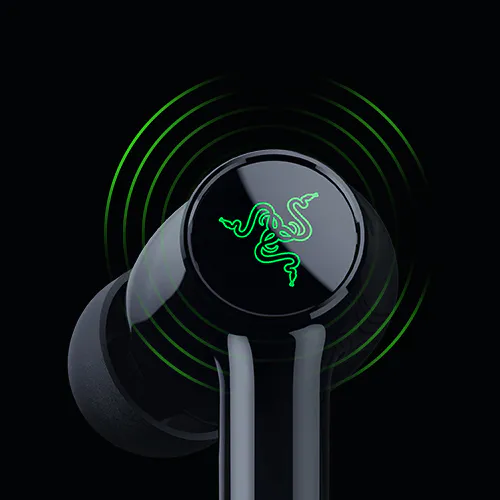
Pause, skip, swap between audio sources, and more with a few quick taps on the earbud. -
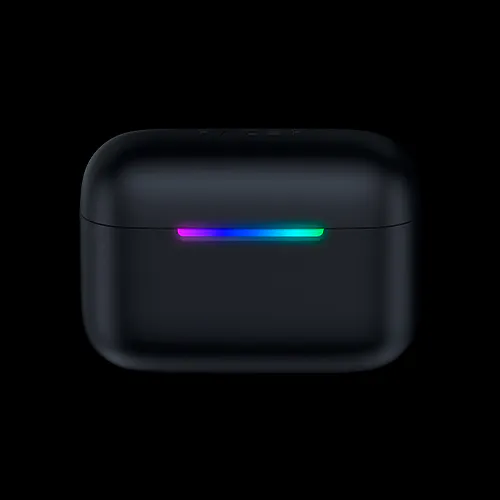
Stay in the loop on charging, pairing, and alerts with a convenient on-case LED bar.
FAQs
-
What devices are compatible with this product?
Smartphones – iOS and Android, PC, MAC, PlayStation 5, Nintendo Switch, Steam Deck and other handheld devices. Connect your Hammerhead V3 X HyperSpeed via Razer™ HyperSpeed using the Razer™ HyperSpeed Case or via Bluetooth 5.3 for devices that are Bluetooth audio enabled.
-
How does the Hyperspeed Case work?
The HyperSpeed Case serves as both a charging case and a 2.4 GHz wireless receiver. You can plug the case into your device via the included USB C to USB A cable to play and charge your case at the same time.
With Razer SmartSwitch, you can seamlessly switch between 2.4 GHz and Bluetooth devices. -
What touch gestures are supported on the Hammerhead V3 X Hyperspeed, and what do they control?
Single tap: Play/pause track (R and L) Double tap: Next track (R), Previous track (L) Double tap and hold 2 seconds: Volume up (R), Volume down (L) Long press 2 seconds: Mic mute/unmute (R and L) Triple tap: Toggle between Bluetooth 5.3 and 2.4GHz Wireless (R and L) - Single call:
oSingle tap: Answer or end call (R and L)
oDouble tap: Reject incoming call (R and L) - Multiple calls:
oSingle tap: Reject incoming call (R and L)
oDouble tap: Switch between calls (R and L)
-
How do I activate THX Spatial Audio?
THX Spatial Audio is available on the Hammerhead V3 X HyperSpeed on PC and is integrated within Razer Synapse. For 7.1 surround sound support, Razer Synapse installed on Windows 11 Version 23H2 (or higher), is required. Download Razer Synapse here. -
How is the Hammerhead V3 X HyperSpeed different from the Hammerhead V3 HyperSpeed? The Hammerhead V3 X HyperSpeed is designed as a more streamlined multi-platform wireless gaming earbuds option, featuring Bluetooth 5.3 and HyperSpeed Wireless via the included case.
The Hammerhead V3 HyperSpeed includes additional premium features such as Hybrid Active Noise Cancellation (ANC) and Bluetooth 6.0, making it ideal for users who want enhanced noise isolation and upgraded connectivity. -
Are both models compatible with PC and PlayStation 5? Yes. Both the Hammerhead V3 X HyperSpeed and Hammerhead V3 HyperSpeed are low-latency wireless gaming earbuds compatible with PC, PlayStation 5, Steam Deck, Nintendo Switch, and mobile devices via HyperSpeed Wireless. -
Which Hammerhead earbuds are better for competitive gaming? Both models support 2.4 GHz low-latency HyperSpeed Wireless, ideal for competitive gaming. However, users who want additional features like Hybrid ANC and Bluetooth 6.0 may prefer the Hammerhead V3 HyperSpeed. -
Where can I buy the Razer Hammerhead V3 X HyperSpeed? You can purchase the product directly from Razer.com, at select retail and etail stores, or RazerStore near you.