

RAZER TARTARUS V2 PRO
MAXIMUM COMMAND.
INFINITE CONTROL.
INFINITE CONTROL.
RAZER™ ANALOG OPTICAL SWITCHES GEN-2
Rapid Trigger and Adjustable Actuation
"With hundreds of skill combinations, Guild Wars 2 players build muscle memory around their keybinds. What stands out with the Razer Tartarus V2 Pro is that every single one of those skills sits within reach of one hand, on a keypad shaped to fit it perfectly. Its 31 programmable controls mean I'm never stretching or hunting for a key mid-fight, and the dedicated Hypershift button gives me a whole other set of keys for standard interface management during my downtime. Whether I'm playing a build with a dozen active skills, juggling profession mechanics, or just swapping my look before the next event, nothing is ever out of reach."
- 8: Healing Skill
- 9: Utility Skill 2
- 10: Utility Skill 1
- 12: Utility Skill 3
- 13: Elite Skill
- 14: Weapon Skill 1
- 15: Weapon Skill 2
- 16: Weapon Skill 3
- 17: Weapon Skill 4
- 18: Weapon Skill 5
- 19: Weapon Swap
- 21: Profession Skill 3
- 22: Profession Skill 2
- 23: Profession Skill 1
- 25: Mount Ability 2
- 26: Mount Ability 1
- 27: Special Action
- 31 (Thumbstick): Multi-Directional Movement
- 31 (Thumbstick Press): Auto-Run

- 14: Hero Dialog
- 15: Open/Close Map
- 16: Inventory Dialog
- 17: Interact
- 18: Black Lion Trading Dialog
- 31 (Thumbstick): Multi-Directional Movement
- 31 (Thumbstick Press): Auto-Run

FULL-SIZED TMR THUMBSTICK & DEDICATED BUTTONS
Finer Control and Customization
A: Razer Hypershift Button
B: Keymap Cycle Button
C: Profile Cycle Button

INTERCHANGEABLE STICK ASSIGNMENT
Adapt the Thumbstick to The Way You Play
-
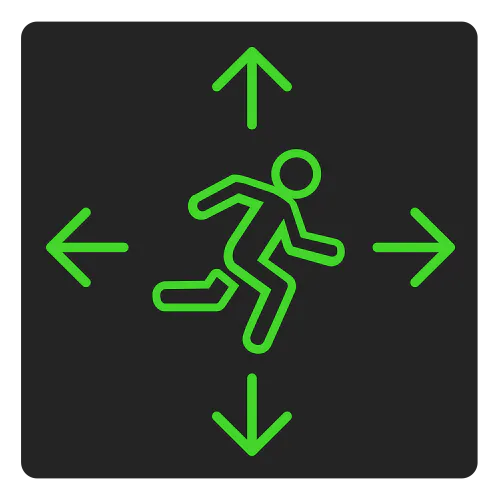 LEFT STICK
DIRECTIONAL CONTROL -
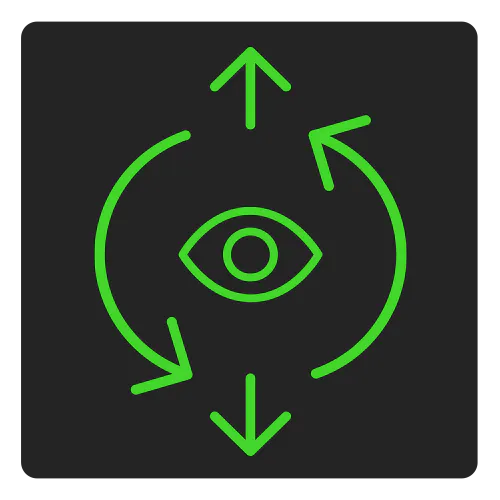 RIGHT STICK
CAMERA CONTROL
CONFIGURABLE THUMBSTICK ORIENTATION
Swap Between Two Modes to Fit your Preferred Playstyle
-
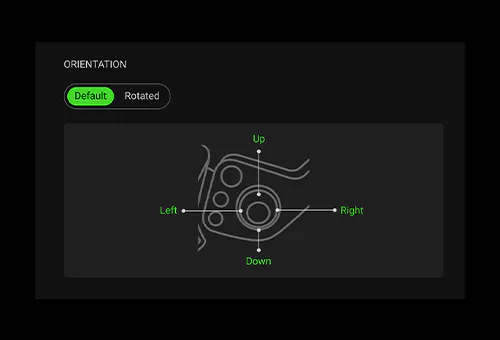 DEFAULT MODE
 -
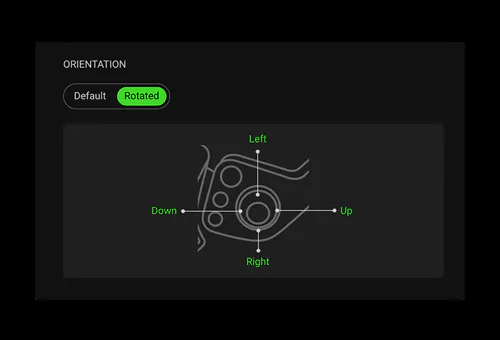 ROTATED MODE
FULLY-ADJUSTABLE ERGONOMIC WRIST REST
Long-Lasting Comfort and Support
24 CONFIGURABLE KEYMAPS ACROSS 3 PROFILES
Maximum Efficiency

-
/TN0018-razer-snap-tap.svg)
RAZER™ SNAP TAP
Prioritize the latest input between two selected keys without having to release the previous one. Enjoy more responsive inputs for near-instant directional changes. Snap Tap is OFF by default and can be toggled ON/OFF via Razer Synapse or using the hotkey FN + Left Shift. -
/TN0019-razer-snap-flex.svg)
/TN0021-dynamic-keystroke.svg)
RAZER™ SNAP FLEX & DYNAMIC KEYSTROKE Execute more with every keystroke. Snap Flex enables dual-action inputs, while Dynamic Keystroke triggers up to four commands based on actuation for unmatched speed and control. -
/KB0085-dual-keypress-priority.svg)
DUAL-KEYPRESS PRIORITY
Dual-Keypress Priority enhances WASD handling by allowing instant inputs from simultaneous keypresses upon release of other keys, delivering precise control during competitive play.
TEXTURED DOUBLESHOT PBT KEYCAPS
Greater Resilience and Feel

RAZER TARTARUS V2 PRO - FREQUENTLY ASKED QUESTIONS
-
How do I configure my button mappings on the Tartarus V2 Pro using Razer Synapse? To customize the keys on your Razer Tartarus V2 Pro, make sure you have the latest version of Razer Synapse installed. Open Razer Synapse, select the Razer Tartarus V2 Pro, and navigate to the Customize tab. Click the key you want to remap on the keypad image, then assign a new function, such as a keyboard key or shortcut. Your changes are saved automatically, allowing you to start using your new key mappings immediately. -
How do I adjust the wrist rest? The wrist rest features two adjustment buttons on its side. Press the top button to adjust the wrist rest length, then slide it forward or backward for a more comfortable fit. Press the bottom button to adjust the lateral angle, allowing you to tilt the wrist rest left or right to suit your preferred wrist position. -
How many buttons are there on the keypad? There are 31 fully programmable controls, 3 dedicated buttons, and a TMR Thumbstick on the Razer Tartarus V2 Pro. -
Can Razer™ Snap Tap be used concurrently with Rapid Trigger? It works seamlessly with Rapid Trigger Mode to give gamers even more responsive in-game movements, no matter the direction. -
What advantages does Razer™ Snap Flex provide? Snap Flex lets you assign two actions to a single key—one on key press and another on key release. This reduces the need to reach for multiple keys, making complex actions easier to perform and helping you react faster in-game. For games such as Counter-Strike 2 and VALORANT, it can simplify advanced techniques, improve consistency, and reduce timing errors during critical moments. -
What are the benefits of Dual-Keypress Priority? Dual-Keypress Priority helps keep your movement smooth and consistent when multiple keys are pressed at the same time. Instead of inputs conflicting with each other, your keypad prioritizes the correct movement, giving you more precise control and reducing accidental input changes. For fast-paced games, this can make movement feel more reliable during fast-paced situations. -
How do I enable Rapid Trigger Mode? To enable Rapid Trigger Mode, please ensure that you have the latest version of Razer Synapse. In Razer Synapse, you can click on your keypad and enable Rapid Trigger Mode, which can be found under the Actuation tab. -
What are the benefits of Rapid Trigger? Rapid Trigger allows you reset keys at the slightest lift of a finger, so you can perform repeated keystrokes far more rapidly. For FPS, this translates to more responsive in-game movement and greater precision. Games such as Counter-Strike 2 and VALORANT have mechanics that penalize accuracy while moving, so being able to get into a stationary position faster than your opponent significantly increases your aiming. -
How do I ensure an 8KHz polling rate is active when using the keypad? Polling rate can be adjusted in Razer Synapse. Ensure the selected polling rate is 8000 Hz. -
How do I toggle Razer™ Snap Tap? Hit FN + Left Shift to immediately toggle Razer Snap Tap. The A and D keys are paired to this mode by default. Paired keys will light up white when Snap Tap is on and light up red when Snap Tap is off. Snap Tap can also be toggled via Razer Synapse, including customizing with your choice of assigned keys. -
Can I have more than a pair of assigned keys for Razer™ Snap Tap? The keypad can save up to 4 pairs of assigned keys for Snap Tap. Choose your preferred keys via Razer Synapse. Learn more about Snap Tap here. -
How do I import custom profiles for my keypad? You may learn how to import or export profiles here. Download custom profiles via Workshop in Razer Synapse. -
What is the difference between a Razer Analog Optical Switch and a standard Razer Optical Switch? While both switches utilize optical technology to ensure zero debounce delay and the fastest actuation speeds, our analog optical switch has the ability to detect how far a key is pressed. This allows gamers to customize the actuation point, enable Rapid Trigger Mode, and send analog inputs like a controller thumbstick or joystick. -
How do I ensure I am getting the best experience out of my keypad? To achieve the best experience with the Razer Tartarus V2 Pro, ensure both the firmware and Razer Synapse have been updated to the latest versions. -
What is the Last-used Synapse Profile? It is an onboard profile that remembers the latest keypad settings used on Razer Synapse and is displayed as a white profile light. -
What is the Factory Default Profile? It is an onboard profile that is set to a 2.0 mm actuation point with Rapid Trigger Mode off and is typically used for typing and non-gaming-related tasks. This profile is displayed as a green profile light and cannot be modified. -
Where can I buy the Razer Tartarus V2 Pro? You can purchase the Razer Tartarus V2 Pro directly from Razer.com, RazerStores, and authorized Razer retailers worldwide.